CVE-2026-110720: a Kubernetes namespace is not an identity boundary
Update, 2 November 2026: this note now ends with a section on checking your own servers and projects with lattice-scan, for IT admins, AI agent skills and CI/CD, and the analysis report is reissued with it. Everything else is as of 26 October 2026; check CISA's catalog for any change since.
On 26 October 2026 HashiCorp published HCSEC-2026-50 for CVE-2026-110720, a cross-namespace authorization bypass in consul-k8s. It is rated 9.9, and it is very different from the internet-facing flaws that usually earn that number: the attacker has to start inside your cluster. That is exactly why it matters for shared clusters.
This note is for you if you run Consul on Kubernetes through consul-k8s. Everything is as of 26 October 2026 and links to its source at the end.
The short version
- Affected: consul-k8s 0.42.0 through 2.0.4. Fixed in 1.8.18 and 2.1.0. The bulletin does not map every branch, so check the release notes for any other branch you run.
- Component ACL binding rules did not consistently restrict authentication to ServiceAccounts in the Consul deployment's own namespace. An attacker may authenticate as a Consul component and take its privileges.
- It needs three things together: system ACL management on (global.acls.manageSystemACLs=true), the ability to create a ServiceAccount and get its token in a different namespace, and network access to the Consul API.
- Deployments with system ACL management off are not affected by this issue.
- CVSS 3.1 9.9 (network, low privileges, scope changed). CWE-863, incorrect authorization. The bulletin lists no workaround other than upgrading.
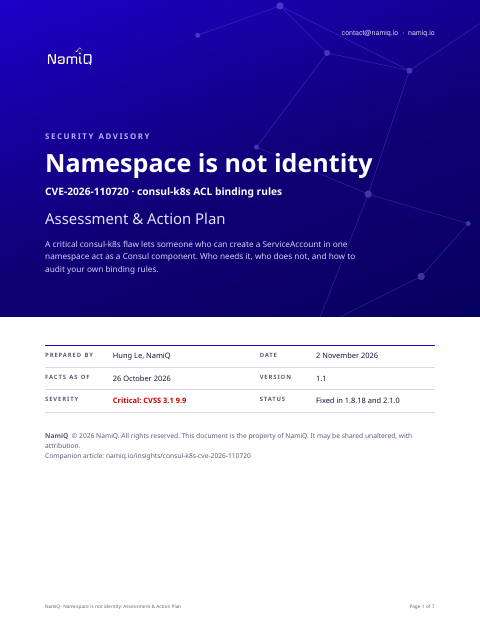 Free analysis report · 7 pagesNamespace is not identity: Assessment & Action PlanThe full version as an analysis report for platform and cluster owners: the mechanism, severity decoded, who is and is not exposed, our SOC analyst's assessment, an audit procedure for binding rules, hardening, hunting and a definition of done.Download the analysis report →
What the bug is
Consul on Kubernetes lets a Kubernetes ServiceAccount log in to Consul and receive an ACL token. Binding rules decide which ServiceAccounts map to which Consul identity. For the components that consul-k8s runs itself, those rules were meant to accept only ServiceAccounts from the namespace where Consul is deployed. They did not check that consistently.
So the question the system should have asked was "is this ServiceAccount in the Consul namespace". Having a token that Kubernetes accepts was treated as enough. The bug is the gap between holding an identity in some namespace and being entitled to the identity of a component in another.
Who is exposed, and who is not
You are in scope only if all of these hold: you run an affected version, system ACL management is on, someone untrusted to the Consul namespace can create ServiceAccounts elsewhere, and they can reach the Consul API. A single-team cluster where the people who can create ServiceAccounts are the same people who run Consul has a small exposure. A shared cluster where many teams own namespaces has a large one.
Do not read this as a reason to turn ACL management off. The bulletin says deployments without it are not affected by this issue, but running without ACLs removes the control that protects Consul in the first place.
Our SOC analyst's assessment
- In a multi-tenant or multi-team cluster, treat it as a same-week patch. An attacker with a foothold in any one namespace gains a lateral-movement route, and Consul is often a trust anchor for service discovery and the mesh.
- The impact is whatever the impersonated component's policy allows. It differs by install, so read your policies before assuming the worst or the best.
- Tighten the Consul API's network reach and the right to create ServiceAccounts outside a team's own namespace now. Those are the two conditions the attacker needs and both are yours to control.
- After patching, re-audit your binding rules. Rotating Consul ACL tokens issued in the affected period is a sensible precaution if you cannot show nothing odd happened. That is a judgement, not an instruction from the bulletin.
- Expect proof-of-concept code to appear. Authorization-bypass bugs with a clear prerequisite list tend to be reproduced quickly. That is an estimate, not a fact about this one.
A namespace is a place you are allowed to work. It is not, on its own, proof that you may speak for another namespace's identity.
Step 1: find your version and your exposure
# consul-k8s version and image
helm list -n consul
kubectl -n consul get deploy -o jsonpath='{range .items[*]}{.metadata.name}{"\t"}{.spec.template.spec.containers[*].image}{"\n"}{end}'

# Is ACL management on?
helm get values consul -n consul | grep -i -A2 acls

# The binding rules Consul actually holds
consul acl binding-rule list
Then list who can create ServiceAccounts outside their own namespace, and which workloads can open a connection to the Consul API. The attacker needs both.
Step 2: upgrade and re-audit
- Upgrade to 2.1.0 or 1.8.18, depending on your branch, through your normal change process.
- After the upgrade, read each binding rule's selector and the policy it grants, and remove anything broader than intended.
- Verify the running version in the cluster, not in the chart you meant to deploy.
If you cannot upgrade this week
- Restrict network access to the Consul API with a NetworkPolicy so only expected workloads can reach it.
- Remove the right to create ServiceAccounts and request tokens outside a team's own namespace.
- Turn on Consul audit logging and ship it to your logging system if it is not already there.
What to look for
- Consul logins by a ServiceAccount from a namespace other than the one Consul runs in, particularly for component roles.
- ACL tokens in use that you cannot tie to a workload you deploy.
- ServiceAccounts or tokens created in other namespaces shortly before unusual Consul activity.
Check your own servers and projects
The facts above are as of 26 October 2026. To compare your own estate with this CVE, the open-source lattice-scan command line checks the parts it can see. Naming the CVEs needs no key, only the CVE ids leave your machine, and a match is a candidate for a person to confirm, not a finding.
On a server: run it on the server itself, not on the laptop or CI runner that deploys to it. It reads installed packages (dpkg, rpm or apk), snaps, the hardware, the running container images with their operating system and packages, and the kernel version, compares them on the machine, and keeps the inventory there. A distribution can fix a CVE under an unchanged version number, so on Debian-family hosts read the changelog line the report shows.
lattice-scan --cve CVE-2026-110720On a repository: the project check reads what it declares, in Python, JavaScript, Java, Rust, C and C++, Make, and Docker and compose files. It installs and runs nothing. A declared range or a tag without a patch number cannot show whether a fix is in, so such a row is undetermined and needs a person.
lattice-scan project . --cve CVE-2026-110720The host check sees the images Docker lists as running, so a Kubernetes node that runs containers without Docker is not covered. The project check reads Dockerfiles and compose files; it does not read Helm values or Kubernetes manifests, so confirm the chart's image tag by hand.
| For | What to do | Command |
|---|---|---|
| IT admin | Run the host check on each server after a release, and again when a new entry lands. | lattice-scan --cve CVE-2026-110720 |
| AI agent skills | The lattice-scan skill runs the check on the machine Claude runs on. The Lattice MCP server answers questions about the CVE with its sources. | claude mcp add --transport http lattice https://lattice.namiq.io/mcp |
| CI/CD | Check the repository on every pull request. Exit code 1 fails the pipeline; keep the CSV as the evidence. | lattice-scan project . --cve CVE-2026-110720 --fail-on in-range |
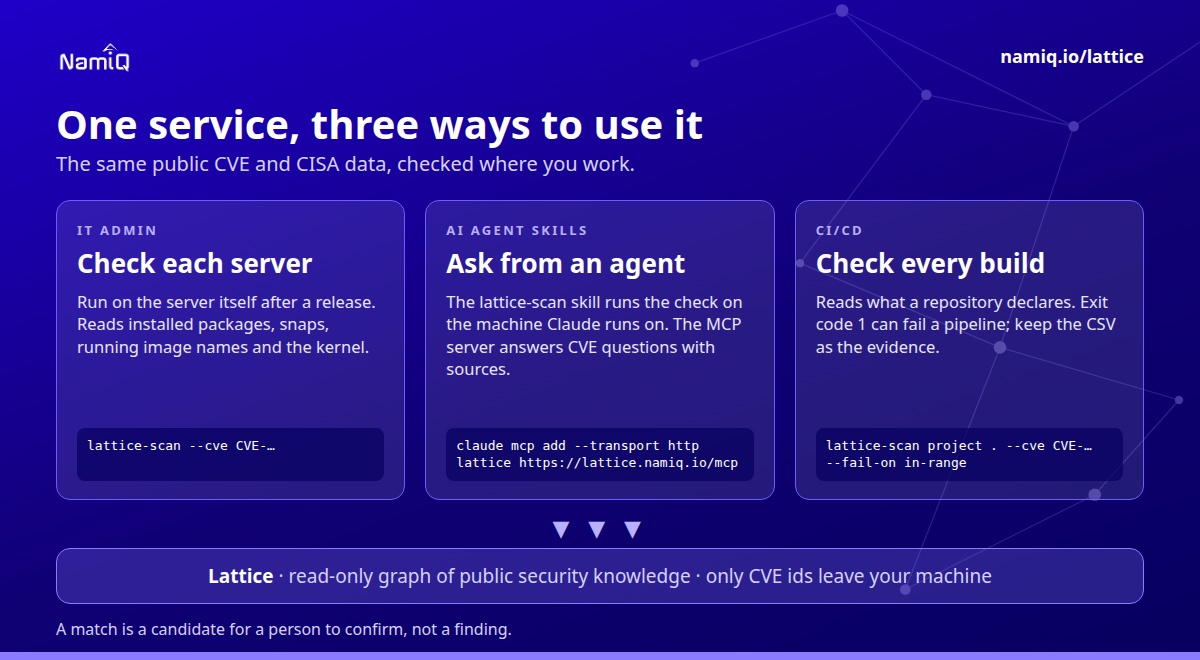
Guide: namiq.io/lattice/guides/choose-your-channel. MCP server (io.namiq/lattice in the MCP registry): namiq.io/lattice. Package: pypi.org/project/lattice-scan, or namiq.io/apt.
- Which way into Lattice fits your job →The command line, the Claude skill or the MCP server: what each needs, what works without a key and how to read the result.
- Lattice, the MCP server →The public graph the command reads, for AI agents over MCP.
- Install and connect →The signed apt repository, the fingerprint, and the connection commands for each client.
What we do not know yet
- The CVSS 4.0 score, and whether public exploit code exists.
- Exactly which privileges each affected component holds in your install, since that depends on configuration.
- Whether anyone has used this. The bulletin does not say.
If you take one thing from this: the people who can create identities in your cluster are part of your threat model for every system that trusts those identities. Count them.