MLflow CVE-2026-116692: an AI platform where "no login" is the default, and "can upload" means "can run code"
Update, 2 November 2026: this note now ends with a section on checking your own servers and projects with lattice-scan, for IT admins, AI agent skills and CI/CD, and the analysis report is reissued with it. Everything else is as of 28 October 2026; check CISA's catalog for any change since.
ML platforms are built for researchers, and researchers need things to work without friction. That is how tracking servers end up on a shared network with no login. On 27 October a critical flaw in MLflow turned that convenience into a way to run code on the server. This note is about which of your servers that applies to, because the answer depends on three conditions that are all easy to check.
It is for you if you run MLflow, or are responsible for the people who do. Everything is as of 28 October 2026 and every claim links to its source at the end.
The short version
- CVE-2026-116692 (CWE-94, code injection; CWE-470, unsafe reflection): in MLflow 3.12.0rc0 up to but not including 3.17.0, third-party scorer loading accepts a request-selected Python module and class and imports and constructs them on the server. CVSS 3.1 9.8.
- Fixed in MLflow 3.17.0. The GitHub advisory was published on 9 October, ahead of the CVE record on 27 October.
- Condition one: on a default server with authentication disabled, no credentials are needed. With basic authentication, the attacker needs an account that can create experiments and runs and upload artifacts.
- Condition two: the server process must be able to write under one of the allowed scorer package directories. The advisory says that is the case in the reproduced official image, which runs as root, and may be in a virtual environment run by the same operating-system user.
- The advisory notes that a read-only container filesystem, or a scorer package directory owned by a different non-writable user, blocks the placement step of the chain.
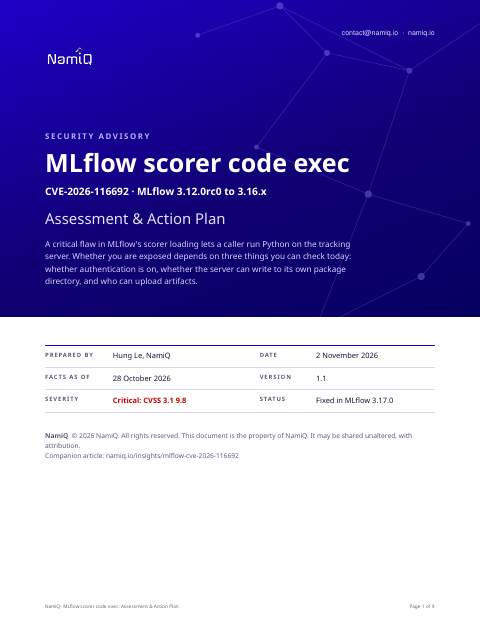 Free analysis report · 9 pagesMLflow scorer code exec: Assessment & Action PlanThe full version as an analysis report for whoever runs your ML platform: the mechanism, severity decoded, the three conditions that decide exposure, a dated timeline, exposure by deployment, a procedure with container and filesystem hardening, hunting and a definition of done.Download the analysis report →
What the bug is
MLflow lets you attach "scorers" to evaluate model output. One endpoint accepts a serialised scorer that names a Python module and class. The server is meant to import only modules inside a fixed list of allowed packages. The check it used accepted any module nested beneath an allowed package, not just the package itself.
That matters because MLflow also lets you upload artifacts through its normal experiment and run endpoints. If the server can write into an allowed package's directory, an attacker can place a Python file there through the ordinary upload path and then ask the scorer endpoint to import it. Importing a module runs its code, and constructing the class runs more. The constructor executes before the request is validated, so the request can come back as an error after the attacker's code has already run. That is the advisory's own description, and its proof of concept was deliberately harmless.
The three conditions
- Authentication. With none, anyone who can reach the server can do all of it. With basic authentication, the scorer endpoint has no resource-level permission check before the import, so anyone with an account that can create an experiment and a run and upload an artifact is enough.
- Write access. The server process must be able to write inside an allowed scorer package directory. Whether that holds is a property of how you deployed it, not of MLflow.
- Version. 3.12.0rc0 to 3.16.x. Earlier versions are outside the range, and 3.17.0 is fixed.
Why "can upload" is the privilege to watch
The usual reading of a basic-authentication deployment is that ordinary users cannot do anything dangerous. Here, the three permissions most users have, creating experiments, creating runs and logging artifacts, combine into code execution on the server. Until you upgrade, treat those users as having a code-execution privilege on the server's account.
Things people will get wrong
- "We turned on basic authentication." That reduces the number of people who can do it. It does not stop an account that can upload artifacts.
- "We run it in a container, so it is contained." The advisory says the official image runs as root and the package path is writable. A container is a boundary only if the process inside has no more access than it needs.
- "Our server is internal." Internal to whom? If everyone on the network can reach it and it has no login, everyone is in the first condition.
- "The advisory is from 9 October." The CVE record, and so most scanners' knowledge of it, is from 27 October. A scanner that watches the CVE feed was about eighteen days late.
How we would triage it
This is our judgement, built on the conditions above.
- Start with the servers that have no authentication on a network others can reach. That is the emergency, and the quickest fix is to cut the reachability.
- Then upgrade everything in range. 3.17.0 is a clear target.
- Use the filesystem control even after you upgrade. A read-only application directory is cheap and removes a whole class of placement attacks.
Step 1: find every server and its settings
# Version
pip show mlflow | grep -i '^version'

# Is authentication on? (look for the auth app or basic-auth settings in how it is started)
ps aux | grep -i '[m]lflow'

# Is the package directory writable by the process's user?
python - <<'PY'
import os, mlflow
p = os.path.dirname(mlflow.__file__)
print(p, 'writable by this user:', os.access(p, os.W_OK))
PY

# Inside the official image
docker run --rm --entrypoint sh IMAGE -c 'id; python -c "import mlflow,sys;print(mlflow.__version__)"'
Check every place MLflow runs: a shared server, a notebook environment, a CI job, a container in a research cluster.
Step 2: reduce reachability
- Put servers without authentication behind a network boundary and an authenticating proxy.
- Restrict who can reach the server to the people who use it.
Step 3: upgrade
- Upgrade to MLflow 3.17.0 or later, and rebuild images.
- Run the server as a non-root user, and make the directory that holds the Python packages read-only or owned by a different user than the one running the server.
- Use a read-only container filesystem where you can, with a separate writable volume for the data MLflow must write.
Step 4: look backwards
- Look for Python files that should not be in the allowed scorer package directories under the MLflow installation.
- Review artifact uploads for files with a .py extension and for artifacts that do not match a model or data file.
- Review requests to the scorer invocation endpoint, especially errors, since code runs before the request fails.
- Look for unexpected processes and outbound connections from the server. Rotate any credentials the server held: storage keys, database passwords, tokens.
Check your own servers and projects
The facts above are as of 28 October 2026. To compare your own estate with this CVE, the open-source lattice-scan command line checks the parts it can see. Naming the CVEs needs no key, only the CVE ids leave your machine, and a match is a candidate for a person to confirm, not a finding.
On a repository: the project check reads what it declares, in Python, JavaScript, Java, Rust, C and C++, Make, and Docker and compose files. It installs and runs nothing. A declared range or a tag without a patch number cannot show whether a fix is in, so such a row is undetermined and needs a person.
lattice-scan project . --cve CVE-2026-116692The host check does not read Python packages installed with pip, so it will not see MLflow on a server; check the project that installs it. If MLflow runs in Docker, the host check lists the running image's name only.
| For | What to do | Command |
|---|---|---|
| AI agent skills | The lattice-scan skill runs the check on the machine Claude runs on. The Lattice MCP server answers questions about the CVE with its sources. | claude mcp add --transport http lattice https://lattice.namiq.io/mcp |
| CI/CD | Check the repository on every pull request. Exit code 1 fails the pipeline; keep the CSV as the evidence. | lattice-scan project . --cve CVE-2026-116692 --fail-on in-range |
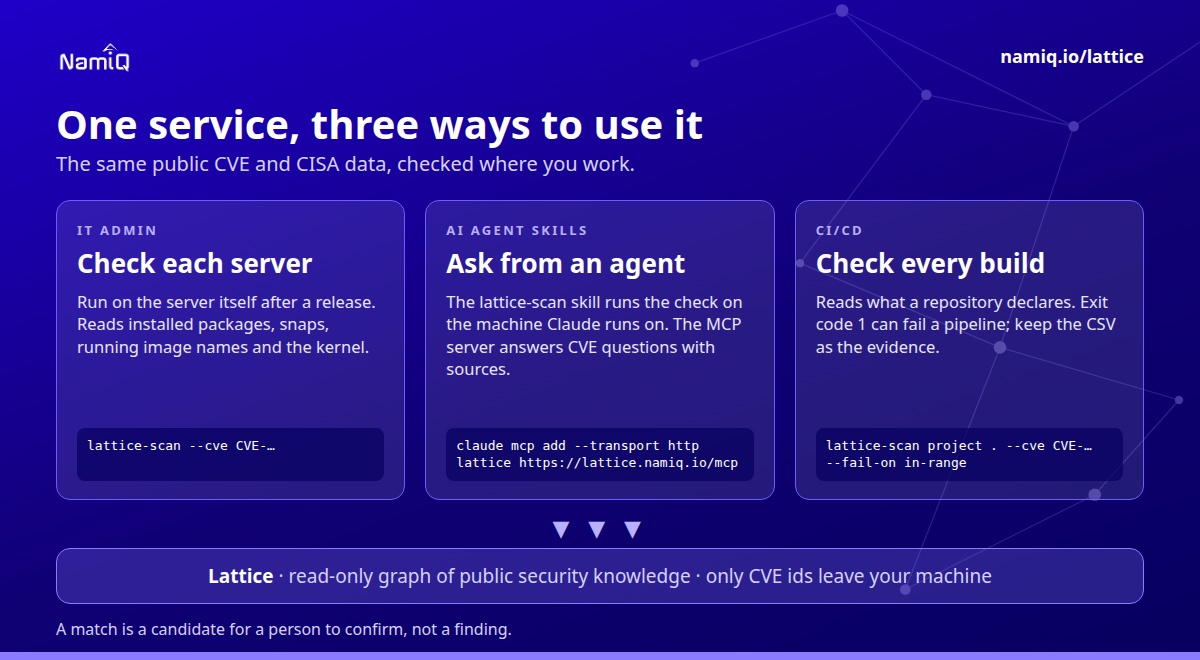
Guide: namiq.io/lattice/guides/choose-your-channel. MCP server (io.namiq/lattice in the MCP registry): namiq.io/lattice. Package: pypi.org/project/lattice-scan, or namiq.io/apt.
- Which way into Lattice fits your job →The command line, the Claude skill or the MCP server: what each needs, what works without a key and how to read the result.
- Lattice, the MCP server →The public graph the command reads, for AI agents over MCP.
- Install and connect →The signed apt repository, the fingerprint, and the connection commands for each client.
What we do not know yet
- Whether anyone is exploiting it. The advisory does not say, and its proof of concept is harmless.
- Which downstream platforms embed an affected MLflow.
- Whether other endpoints share the same import check.
If you take one thing from this: in an ML platform, "can upload an artifact" and "can run code" are not as far apart as they look. Count who has the first.
Read next
- Daily CVE highlight, 28 October →Where this sits among the day's picks, in the order to act.
- Your AI agent's sandbox is a network service →Another AI platform that shipped with no login.
- Apache Kafka Connect CVE-2026-115644 →A setting meant to protect the admin API that left it unprotected.
- A new CVE, an agent, and four questions →What to ask an AI agent about a CVE, and how to read the answer without being misled by it.